
If there's a BEVIDA in your new home, you can set it up as your own. First you erase the previous owner's profiles and settings, then you connect it to your own account.
Before you start
- Your BEVIDA is switched on.
- You have your phone, and you can open your email.
- You have the wifi network name and password for your new home.
Erase the previous owner's details
You don't need the previous owner, or their account, to do this.
If your BEVIDA's screen already shows Begin set up, someone has already reset it, and you can skip to Set up your own account.
If it shows the idle screen with the time instead, it still has the previous owner's details, and you need to erase them. Follow the steps below. To get to your BEVIDA's settings, you need to pour as Guest first.
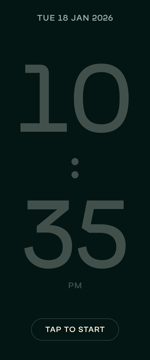
- On the idle screen, press Tap to start. Your BEVIDA scans for a face.
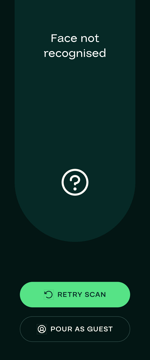
- When it shows Face not recognised, press Pour as guest. You might see Device not connected to your account or No face recognition set up instead. Press Pour as guest on those too.
- Your BEVIDA shows the drinks screen with Guest at the top left. Press the settings icon at the top right.
- Press Factory reset, then follow the steps on the screen. Keep your BEVIDA switched on at the wall until it shows Reset complete. See Factory reset your BEVIDA for more detailed steps.
Set up your own account
- Download the BEVIDA app and create your account. If you already have an account, sign in.
- Connect your BEVIDA to wifi.
- Add your household's profiles and set up face recognition. Face recognition is stored only on your BEVIDA, so the previous owner's is gone.
Check your warranty
Your BEVIDA has a 5 year warranty, and it stays with your BEVIDA. If it's still within the 5 years, you're covered. See Warranty and returns.
If it doesn't work
If your BEVIDA won't reset, or the app says it's already on another account, contact us. ⚑